
Custom Query
Custom mode provides a visual Query Builder for selecting, filtering, and ordering posts.
Configure a Query
- Open Content > Query > Custom > Edit Query.
- Select a source and configure its controls.
- Click Apply Query, then save. Cancel discards dialog edits.
Leave the query unset when an archive or search loop should inherit the current request.
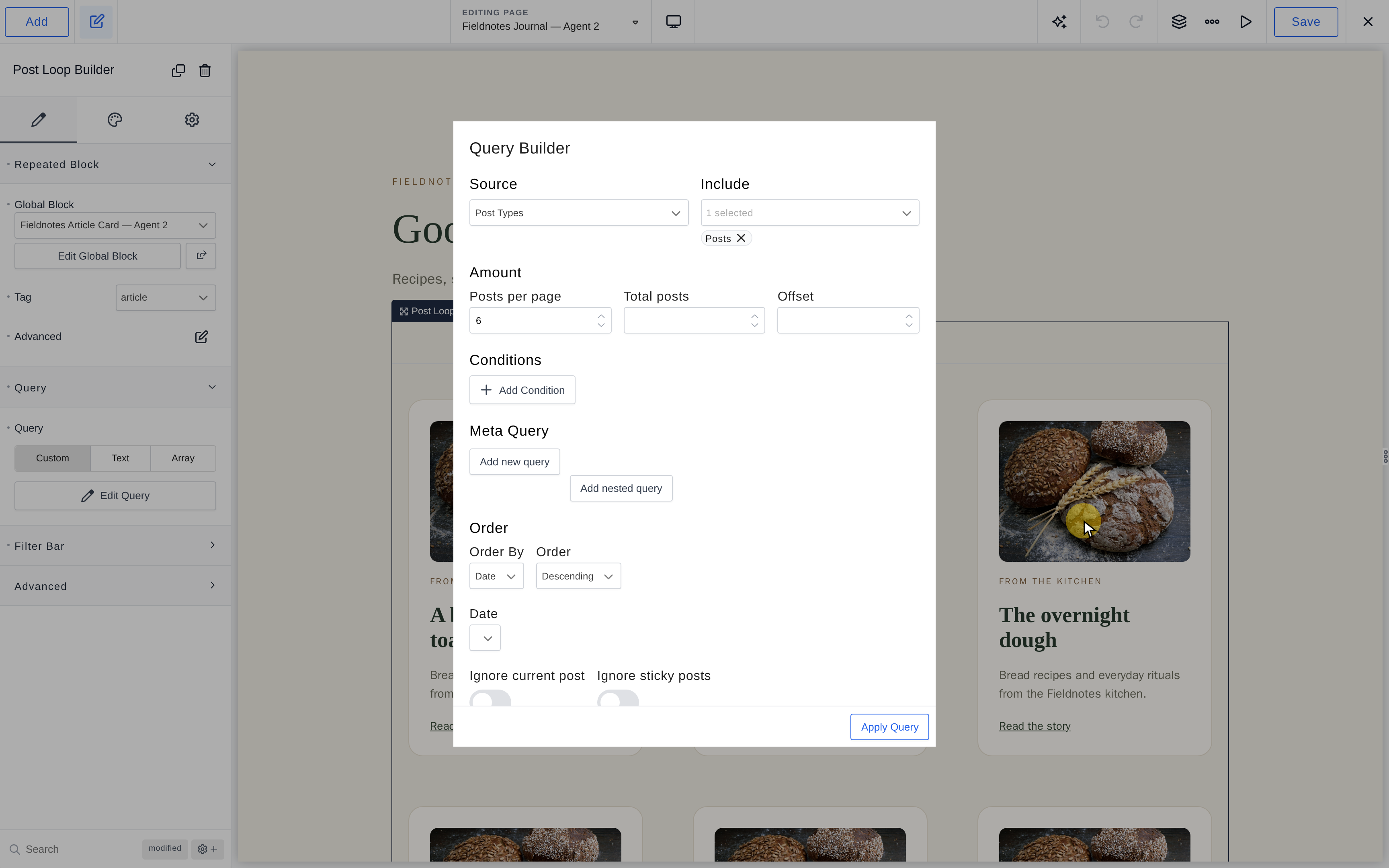
Choose Source and Amount
- Post Types — Published posts from types selected under Include.
- Related — Current post type and shared terms selected under Include by. Taxonomies act as alternatives; Same author only narrows results. Singular requests exclude the current post.
- ACF Relationship — Posts selected in Field on the current item; requires ACF and a relationship field.
Posts per page sets the batch size. Total posts caps supported sources; Offset skips initial Post Types results. Related and ACF Relationship discard pagination's page number. An unset ordinary loop defaults to eight posts per page.
Filter Results
Conditions applies query-capable rules to Post Types, such as post, taxonomy, author, featured-image, comment-count, and date filters. It does not filter Related or ACF Relationship sources.
Meta Query filters stored custom-field values:
- Meta Key — Stored field key.
- Compare by — =, !=, >, >=, <, <=, LIKE, NOT LIKE, IN, NOT IN, BETWEEN, NOT BETWEEN, EXISTS, NOT EXISTS, REGEXP, NOT REGEXP, RLIKE.
- Meta Value — Single value; Meta Value Array supplies multiple values via Add new value.
- Type — NUMERIC, BINARY, CHAR, DATE, DATETIME, DECIMAL, SIGNED, TIME, UNSIGNED. Default: CHAR.
- Relation — AND or OR. Use Add new query for clauses or Add nested query for groups.
Existence comparisons need no value. Match comparisons to storage; text sorting can place 10 before 2.
Set Order and Dates
Order By offers Date, Last modified date, Title, Comments count, Menu order, Random, and integration-specific ACF/Meta Box fields. Order selects ascending or descending. Numeric custom-field sorting may require an Array Query using meta_value_num.
Date offers all dates, recent day/week/month/three-month/year ranges, or Custom with Before Date and After Date.
For Post Types, Ignore current post excludes the current item. Ignore sticky posts removes prioritization, not the posts themselves. Use stable ordering for predictable pagination.
Source-Specific Behavior
The Post Types source uses Include to select one or more post types. An untouched loop on an ordinary page uses eight posts per page; an untouched archive/search loop inherits the request instead.
ACF Relationship appears only when ACF is active. An empty relationship produces no results rather than every post; this source defaults to three posts per page unless you set the amount. Order, Order By, and date filters still apply to the selected related posts. The source's relationship selection does not use the Conditions filters.
Related uses the current post type and shared terms from Include by. Selected taxonomies provide alternative matches. Singular requests exclude the current item; Same author only can narrow the related set.
Meta Query Example
To list events whose stored numeric capacity is at least 20, add a clause with Meta Key capacity, Compare by >=, Meta Value 20, and Type NUMERIC. Add another clause in an AND group if both must match; use an OR group for alternatives.
IN and NOT IN compare against Meta Value Array entries; BETWEEN and NOT BETWEEN need lower and upper values. EXISTS and NOT EXISTS test whether the key exists, so they need no comparison value.
Archive Pagination
Inside an archive template, leave the query untouched if the loop should paginate WordPress's archive results. A custom query with pagination in an archive is unsupported. See Pagination.