
Popups API
BreakdancePopup.runAction() lets third-party JavaScript open or close an included, initialized front-end popup.
Find the Popup ID
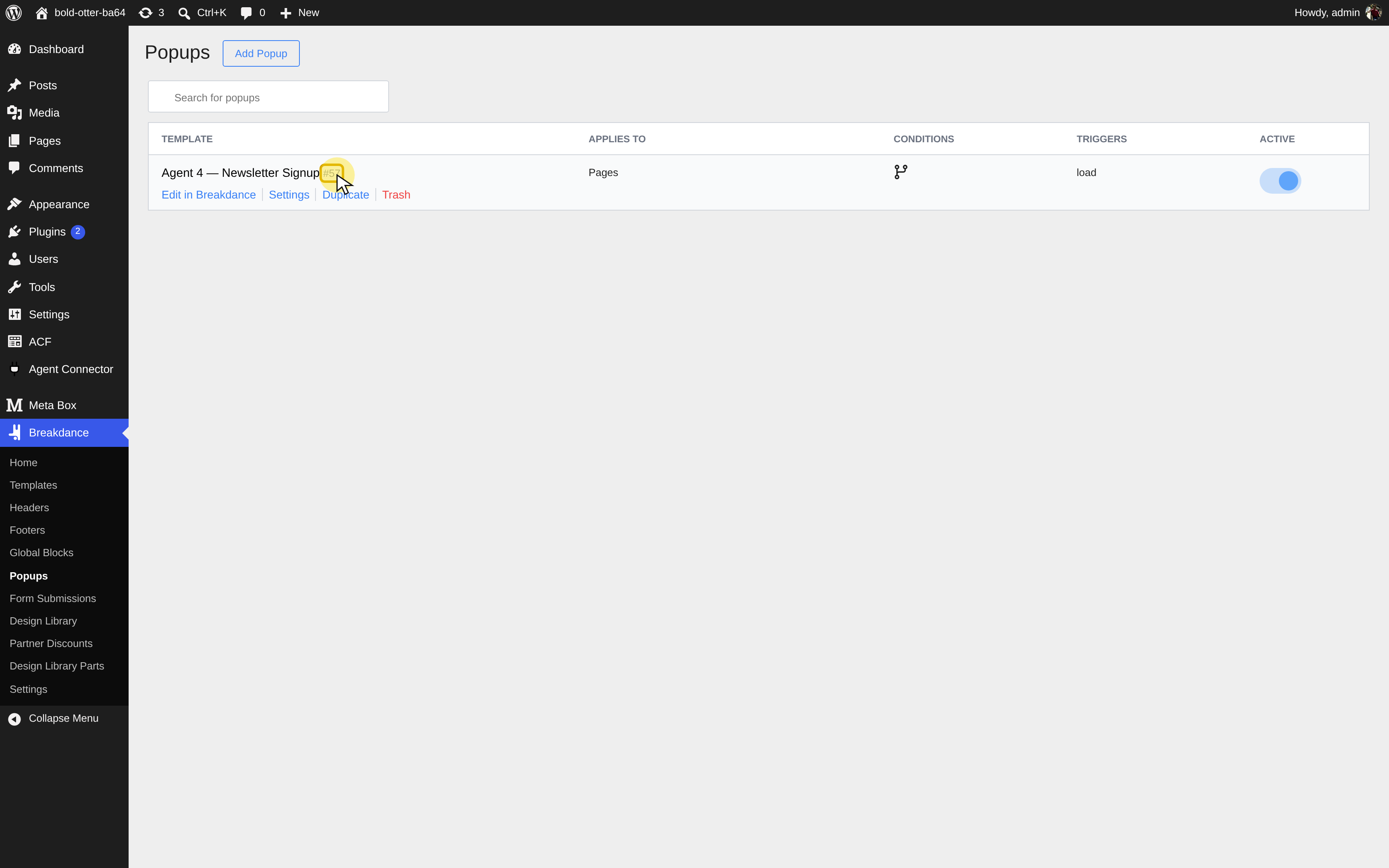
- Open Breakdance > Popups in WordPress.
- Hover over the popup's name to reveal its ID next to the name. You can also read it from the edit link (
post=123). - Use that WordPress post ID in the API call.
Actions
JavaScript
BreakdancePopup.runAction(123, 'open');
BreakdancePopup.runAction(123, 'close');
runAction(popupId, action = 'open') accepts numeric/string IDs and explicit open/close, with no meaningful return. It does nothing in the builder or when the instance is absent; location/loading conditions still determine inclusion.
Custom Trigger
Add data-popup-open="123" to a button and run after document/popup scripts load:
JavaScript
window.addEventListener('load', () => {
  document.querySelectorAll('[data-popup-open]').forEach((button) => {
    button.addEventListener('click', (event) => {
      const popupId = event.currentTarget.dataset.popupOpen;
      if (!/^d+$/.test(popupId || '')) return;
      if (!window.BreakdancePopup) return;
      event.preventDefault();
      window.BreakdancePopup.runAction(popupId, 'open');
    });
  });
});
currentTarget handles clicks on nested icons. Missing behavior requires checking ID, inclusion, script order, and console errors. Standard triggers can use built-in popup link actions.