
Text Query
Text mode passes a fixed query string to WordPress's WP_Query.
Enter Arguments
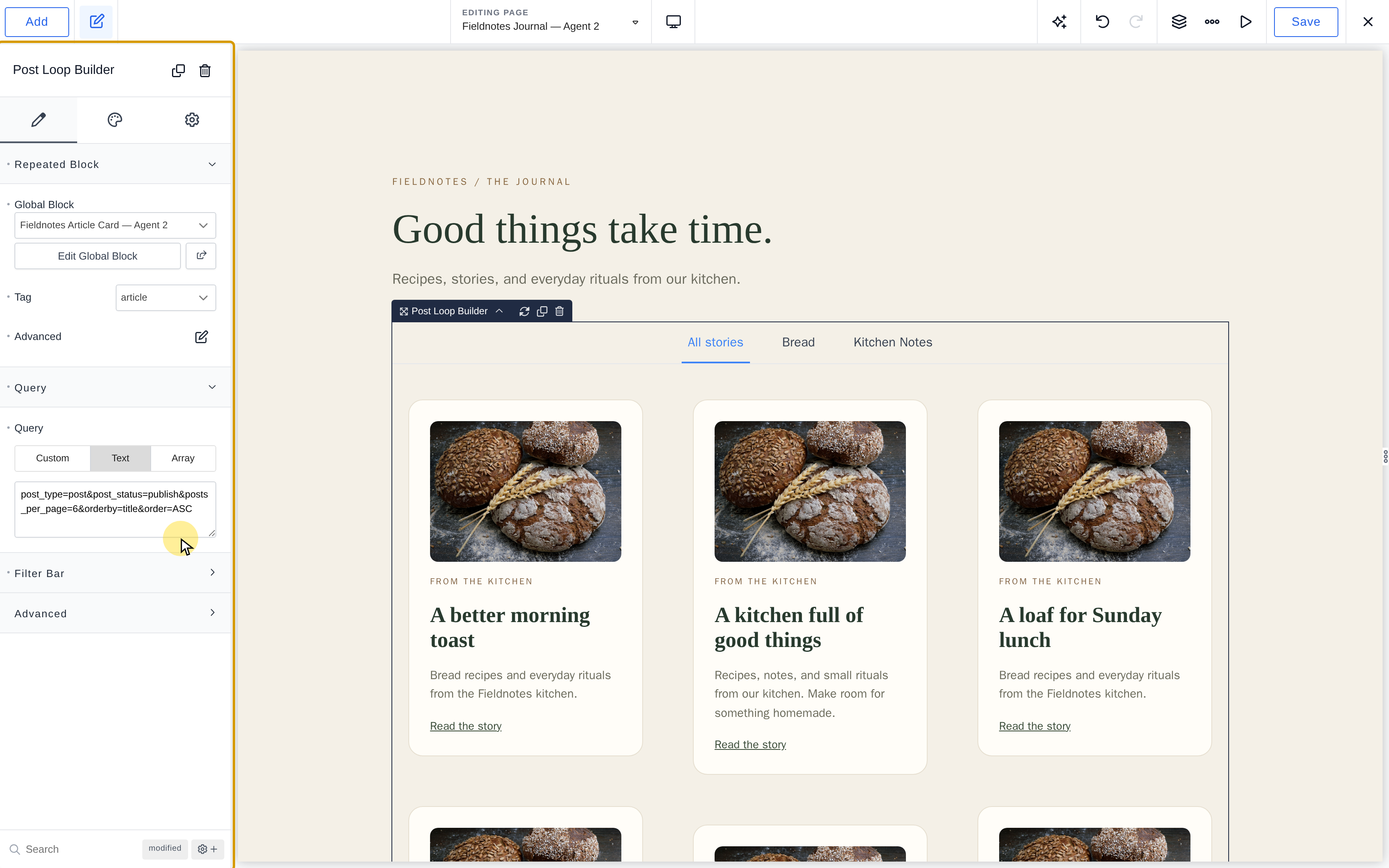
- Open Content > Query > Text.
- Enter arguments separated by
&, using registered post-type slugs. - Save and inspect the results.
For six published posts ordered alphabetically:
post_type=post&post_status=publish&posts_per_page=6&orderby=title&order=ASCUse posts_per_page, not the REST API's per_page.
Preserve Dynamic Context
Text queries replace inherited archive/search queries and do not merge the loop's pagination arguments. Leave the main archive query unset, or use Custom/Array mode when pagination must follow the current page.
Text mode does not execute PHP. Use Array Query for visitor IDs, dynamic taxonomy values, or nested arguments.
Common Arguments
| Argument | Purpose |
|---|---|
post_type |
Registered post-type slug. |
post_status |
Status such as publish. |
posts_per_page |
Number of results. |
orderby |
Sort key such as date, title, or menu_order. |
order |
ASC or DESC. |
s |
Search text. |
author |
Author ID. |
post_parent |
Parent post ID. |
This is a WordPress query string, not a REST API request. Refer to WP_Query arguments for the accepted parameters. URL-encode values containing spaces or reserved characters; & separates arguments.
Use Array for nested taxonomies/meta queries, functions, or values drawn from the current visitor. A text query is fixed text; pasting PHP into it will not execute that code.